Android App
JoyProxy Android Client
HTTP/SOCKS5 proxy client for Android. Route traffic globally or per-app — no root required.
HTTP/SOCKS5 proxy client for Android. Route traffic globally or per-app — no root required.
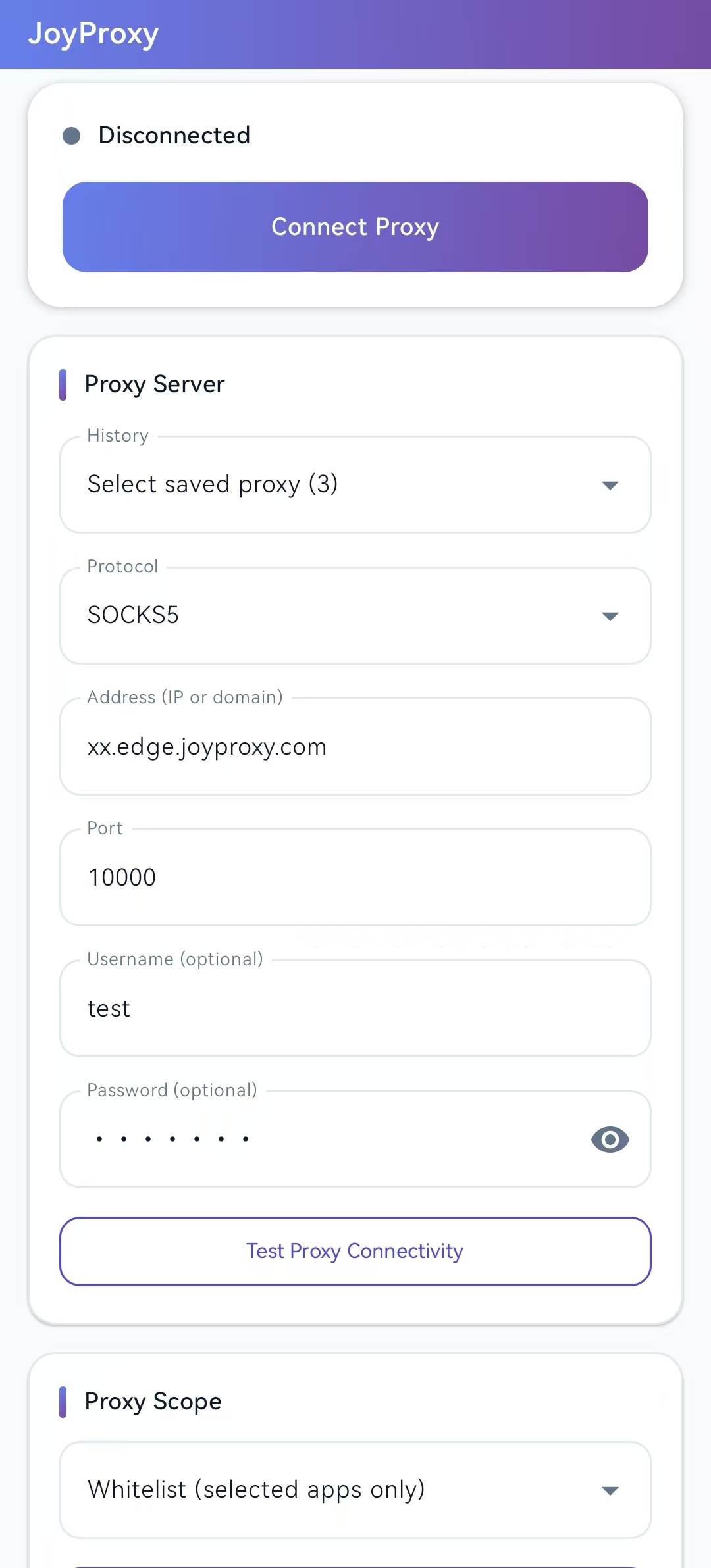
Large connect button with clear disconnected / connected status at the top.
Protocol, host, port, optional username/password, saved history, and connectivity test.
Switch between Global, Whitelist, or Blacklist routing without leaving the main screen.
Download the signed release APK from GitHub. Install directly on your Android device.
A lightweight proxy client built on sing-box libbox
Connect to any proxy server using IP or domain and port.
Global, whitelist (selected apps only), or blacklist (exclude selected apps).
Works on standard Android devices without root access.
Test proxy reachability before connecting (available while disconnected).
English and Chinese UI in app settings.
GPLv3 licensed. Build from source on GitHub.
Four steps to get connected
After changing proxy scope or the app list, disconnect and reconnect for changes to take effect.
Copy proxy credentials from your JoyProxy dashboard and enter them in the Android client.
Browse Proxy IP Plans